
Are you trying to browse high-resolution property galleries or use interactive maps to find your next luxury apartment, only to find the website isn't working? Often, the solution is simple: you need to enable cookies and JavaScript in your browser. These two technologies are the backbone of the modern, interactive web, and without them, your online experience can be frustratingly limited.
To enable cookies and JavaScript for the best browsing experience, you generally need to navigate to your browser's settings menu, find the 'Privacy and Security' or 'Site Settings' section, and ensure both are turned on. While the exact steps vary by browser, this action unlocks dynamic content, personalization, and essential features on nearly every website you visit, including our verified Dubai property listings.
Why Cookies and JavaScript Are Essential for Modern Browsing
To fully appreciate the modern internet, it's crucial to understand the roles of JavaScript and cookies. They are not just technical jargon but the very tools that make websites functional, interactive, and personalized. From remembering your login details to displaying complex data visualizations and virtual tours of penthouses in Dubai Marina, these technologies work together to create a seamless user experience.

Think of it this way: if a website is a building, HTML and CSS are the foundation and walls, but JavaScript is the electricity and plumbing that make it livable. Cookies, in turn, are the keys that remember who you are and what your preferences are each time you enter. Without them, every visit would be like your first, with no memory of your previous actions.
The Role of JavaScript in Functional Web Pages
JavaScript is a powerful scripting programming language that runs directly in your web browser, bringing static web pages to life. It is responsible for nearly every interactive element you encounter, such as animated graphics, real-time information updates, and complex forms. When you use an online mortgage calculator or filter search results for 2 bedroom apartments for sale in Dubai, you are using JavaScript.
Without JavaScript enabled, many websites would feel broken. Interactive maps would not load, photo galleries would not swipe, and you might not even be able to submit a contact form. For a rich user experience, especially on platforms that require significant user interaction, it is essential to enable JavaScript in your browser. This ensures you can access all the features a site has to offer without interruption.
How Cookies Personalize Your Online Experience
Cookies are small text files that websites store on your computer to remember information about you. Their primary purpose is to personalize your experience. For example, they can save your login status so you don't have to sign in every time you visit a site. They can also remember your preferences, such as your preferred language, currency, or the last properties you viewed.
This personalization is incredibly helpful when browsing for real estate. A cookie can remember that you're interested in properties in Downtown Dubai, so the site can show you relevant listings first on your next visit. While often associated with advertising, first-party cookies (set by the site you are visiting) are fundamental to a smooth and efficient browsing session. They make your journey from browsing to finding your dream home much more convenient.
Balancing Website Functionality With Online Privacy
In 2026, online privacy is a significant concern for many users. It is natural to question what information is being stored and why. However, disabling cookies and JavaScript entirely is often an overcorrection that harms your browsing experience more than it protects your privacy. The key is to strike a balance by managing your settings intelligently.
Modern browsers like Google Chrome and Mozilla Firefox offer granular controls, allowing you to block third-party tracking cookies while permitting the first-party cookies necessary for site function. You can also manage permissions on a site-by-site basis. This approach allows you to enjoy a fully functional web while minimizing unwanted tracking, giving you both a great user experience and peace of mind.
How to Enable JavaScript in Your Web Browser for 2026
Most modern browsers have JavaScript enabled by default, but a security setting, a browser extension, or a previous configuration may have disabled it. If you find websites are not loading correctly, checking this setting is a good first step. The process is straightforward across all major browsers. dubai areas directory.
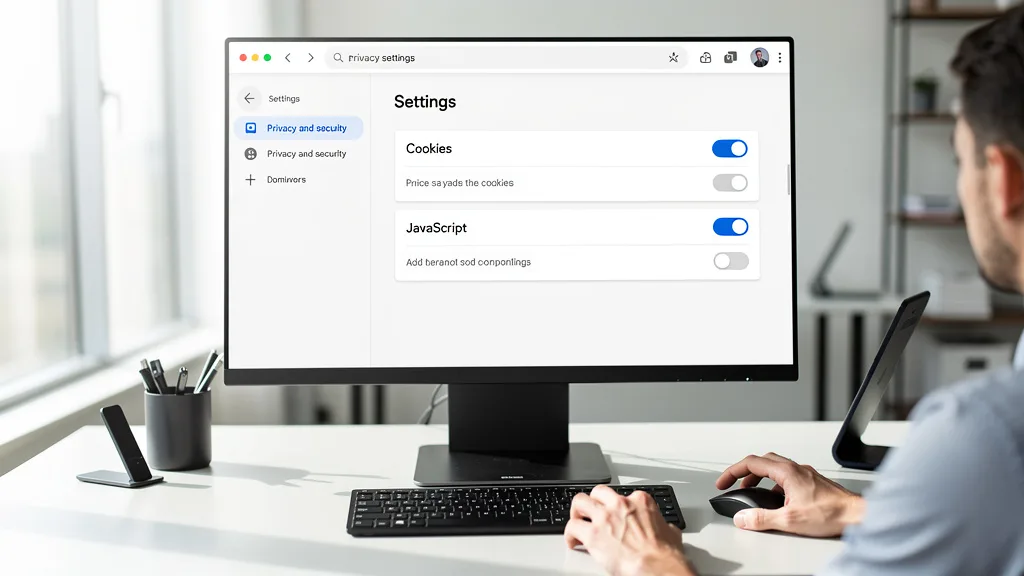
Below are step-by-step instructions for the most popular web browsers as of 2026. Following these steps will ensure that you can access the full interactive capabilities of the websites you visit, which is crucial for tasks like exploring detailed property listings.
Instructions for Google Chrome
Enabling JavaScript in Google Chrome is a simple process managed within the browser's privacy settings. This is often the first place to check if interactive elements on a page are not working.
- Click the three-dot menu icon in the top-right corner and select Settings.
- Navigate to Privacy and security on the left-hand menu.
- Click on Site settings.
- Scroll down to the 'Content' section and click on JavaScript.
- Select the option for 'Sites can use Javascript'.
Instructions for Mozilla Firefox
Mozilla Firefox handles JavaScript a bit differently from other browsers, requiring access to its advanced configuration page. Be careful when changing settings here, and only modify the one specified.
- Type
about:configinto the address bar and press Enter. - Accept the warning message to proceed.
- In the search bar at the top, type
javascript.enabled. - Ensure that the value is set to true. If it is 'false', click the toggle button on the right to change it.
Instructions for Apple Safari
On macOS, Safari's JavaScript settings are located within its security preferences. This makes it quick and easy to check and enable if needed, ensuring a smooth experience on your Apple devices.
- With Safari open, click on 'Safari' in the top menu bar and select Settings (or Preferences on older macOS versions).
- Go to the Security tab.
- Ensure the checkbox next to 'Enable JavaScript' is checked.
- Close the window to save the changes.
Instructions for Microsoft Edge
Microsoft Edge, being based on Chromium, has a settings menu that is very similar to Google Chrome's. The steps to enable JavaScript are almost identical.
- Click the three-dot menu icon in the top-right corner and choose Settings.
- Select Cookies and site permissions from the left-hand menu.
- Scroll down and click on JavaScript.
- Make sure the 'Allowed' toggle is turned on.
Instructions for Opera
Opera, another Chromium-based browser, also shares a similar path to enabling JavaScript. The process is quick and should resolve many interactive content issues immediately.
- Click the 'Easy setup' icon or the main menu icon in the top-left corner and go to Full browser settings.
- Click on Privacy & security on the left.
- Select Site Settings.
- Find and click on JavaScript.
- Choose the 'Sites can use Javascript' option.
How to Enable Cookies in Your Browser
Just like JavaScript, cookies are usually enabled by default, but privacy settings or extensions can block them. Enabling them, especially first-party cookies, is necessary for websites to remember your preferences and keep you logged in. For instance, without cookies, you would have to re-enter your search criteria for short term vs long term rentals in Dubai every time you visit a new page on our site.
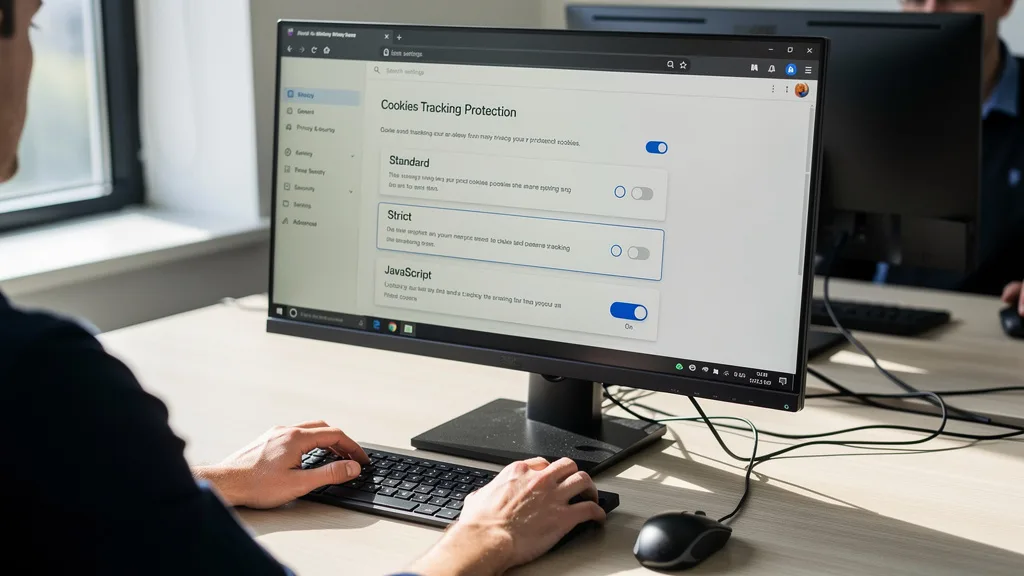
Here's how to check your cookie settings and enable them in the most common browsers. We recommend allowing at least first-party cookies for the best experience while being mindful of third-party cookie settings for enhanced privacy.
Steps for Google Chrome
Chrome provides flexible options for managing cookies, including blocking third-party cookies while allowing essential ones. This is the recommended setting for most users.
- Open Chrome Settings and go to Privacy and security.
- Click on Third-party cookies.
- For the best balance, select 'Block third-party cookies in Incognito mode'. To allow all, you can select 'Allow third-party cookies'.
Steps for Mozilla Firefox
Firefox is known for its strong privacy features, which can sometimes be too restrictive for certain websites. You can easily adjust its Enhanced Tracking Protection.
- Go to Firefox Settings and select the Privacy & Security panel.
- Under 'Enhanced Tracking Protection', the 'Standard' setting is usually sufficient.
- If sites are still breaking, you can switch to 'Custom' and uncheck 'Cookies' to allow them, or add specific sites as exceptions.
Steps for Apple Safari
Safari has robust privacy protections built-in, particularly against cross-site tracking. You may need to ensure its settings are not preventing websites from functioning correctly.
- Open Safari Settings and go to the Privacy tab.
- To allow all cookies, uncheck 'Block all cookies'. Safari intelligently blocks most third-party tracking cookies by default with 'Prevent cross-site tracking' enabled.
Steps for Microsoft Edge
Edge offers clear and simple settings for cookie management, allowing you to choose a level of tracking prevention that suits your needs without breaking websites.
- In Edge Settings, navigate to Cookies and site permissions.
- Click on Manage and delete cookies and site data.
- Ensure 'Allow sites to save and read cookie data (recommended)' is turned on. You can also manage the 'Block third-party cookies' toggle here.
Steps for Opera
Opera's settings provide straightforward controls for cookies, ensuring you can easily enable them if you find that websites are not remembering your information.
- In Opera Settings, go to Privacy & security.
- Click on Cookies and other site data.
- Select 'Allow all cookies' for the most permissive setting, or 'Block third-party cookies' for a good balance of privacy and functionality.
Troubleshooting Common Issues After Enabling Settings
Sometimes, even after you enable cookies and JavaScript for the best browsing experience, you might still encounter problems. A website might not load correctly, or a feature might remain broken. This is often due to old data stored in your browser or a conflict with an extension.

Fortunately, these residual issues are usually easy to fix. By following a few simple troubleshooting steps, you can resolve most common browser problems and get back to seamlessly browsing for your next property. For a more detailed walkthrough, our guide on how to fix browser issues on Dubai property sites can be a helpful resource.
Clearing Your Browser Cache and Data
Your browser's cache stores parts of websites you've visited so they load faster next time. However, this cached data can become outdated or corrupt, causing display or functionality issues even after you've corrected your settings. Clearing your cache forces the browser to download the latest versions of all website assets.
To do this, go to your browser's settings, find the 'Privacy and security' section, and look for an option like 'Clear browsing data'. Make sure to select 'Cached images and files' and 'Cookies and other site data'. After clearing it, restart your browser and try visiting the site again. This simple step resolves a surprising number of problems.
Checking for Conflicting Browser Extensions
Browser extensions, especially ad-blockers, privacy enhancers, and security tools, can interfere with how websites run. They might block JavaScript or cookies, overriding the settings you just enabled. A common extension that causes issues is a noscript code blocker.
To check if an extension is the culprit, try viewing the website in an incognito or private window, as these typically run without extensions enabled. If the site works correctly there, the problem is likely one of your extensions. You can then disable your extensions one by one on the main browser profile to identify which one is causing the conflict. You may be able to add the problematic website as an exception in the extension's settings.
Updating Your Browser to the Latest Version
Using an outdated web browser can lead to a host of security vulnerabilities and compatibility issues. Web developers build sites to work with the latest browser technologies, and older versions may not be able to render them correctly. Developers often stop supporting old browsers like Internet Explorer entirely.
Ensure your browser is always up to date. Most browsers will update automatically, but you can manually check for updates in the 'About' section of the settings menu. An update can patch bugs, improve performance, and ensure you have the latest security features, which often resolves persistent browsing problems without any further action needed.
Key Takeaways
Navigating the modern web effectively requires a basic understanding of your browser's settings. To ensure you have the best possible experience, especially on interactive and feature-rich websites, enabling both cookies and JavaScript is essential. Here are the key points to remember from this guide:
- JavaScript Powers Interactivity: JavaScript is a core web technology that runs interactive elements like maps, forms, and animations. Without it, many websites will appear broken or static.
- Cookies Enable Personalization: Cookies remember your preferences, login status, and site-specific information, creating a more convenient and personalized browsing session.
- Enabling is Simple: All modern browsers, including Chrome, Firefox, Safari, Edge, and Opera, provide straightforward menus to enable or disable these features, typically under 'Settings' > 'Privacy' or 'Site Settings'.
- Balance is Key: You can achieve a balance between functionality and privacy by allowing first-party cookies and JavaScript while being more restrictive with third-party tracking cookies.
- Troubleshooting is Straightforward: If issues persist after enabling these settings, the most common solutions are clearing your browser cache, checking for conflicting extensions, or updating your browser to the latest version.
"For anyone exploring the dynamic Dubai real estate market online, ensuring you enable cookies and JavaScript is the first step to a seamless experience. It's what allows you to take virtual tours, interact with floor plans, and save your favorite properties without a hitch."
Frequently Asked Questions
Should cookies be turned on or off?
For the vast majority of users, cookies should be turned on, at least for the sites you trust. First-party cookies are essential for basic website functionality, like keeping you logged into your account or remembering items in a shopping cart. Without them, the web becomes much less convenient.
However, you can be more selective about third-party cookies, which are often used for advertising and tracking your activity across different websites. Most modern browsers offer a balanced setting, like blocking third-party cookies in incognito mode or blocking known trackers, which provides a good mix of privacy and functionality.
Is it better to have JavaScript on or off?
It is significantly better to have JavaScript turned on. The internet in 2026 is built on JavaScript; disabling it will render most modern websites unusable. Interactive maps, online applications, video players, social media feeds, and e-commerce platforms all rely heavily on it.
While there were security concerns in the past, modern browsers have implemented robust security measures that make running JavaScript from reputable websites very safe. Turning it off is an extreme measure that is no longer necessary for security and will severely degrade your browsing experience.
Can enabling cookies and JavaScript create security risks?
The security risks associated with enabling cookies and JavaScript on reputable websites are very low. First-party cookies are generally harmless and necessary for site function. The main privacy concern comes from third-party tracking cookies, which you can manage or block through your browser settings.
Similarly, JavaScript itself is not inherently dangerous. The risk comes from malicious scripts on untrustworthy websites. As long as you practice safe browsing habits, keep your browser updated, and avoid suspicious sites, enabling JavaScript poses minimal risk and is necessary for the web to function as intended.
What is the difference between first-party and third-party cookies?
First-party cookies are created and stored by the website you are directly visiting. Their purpose is to improve your experience on that specific site, for example, by remembering your login credentials, language preference, or items in your cart. These are generally considered beneficial and necessary.
Third-party cookies are created by domains other than the one you are visiting. These are typically used by advertisers or analytics services to track your browsing habits across multiple websites. These are the cookies that raise privacy concerns, and modern browsers provide tools to block them specifically.
Will websites work correctly without JavaScript?
No, most modern websites will not work correctly without JavaScript. While you might be able to view basic text and images, any interactive or dynamic functionality will be broken. This includes login forms, search filters, interactive maps, video players, and any feature that updates without reloading the entire page.
Attempting to browse the web without JavaScript today is like trying to drive a car without an engine. It is a fundamental component for almost every website, especially complex platforms like real estate portals, e-commerce stores, and social media networks. For a functional online experience, it must be enabled.
Conclusion
In today's digital world, a smooth and functional browsing experience is not a luxury; it's a necessity. As we've explored, learning how to enable cookies and JavaScript for the best browsing experience is a fundamental skill for any internet user. These settings are the keys that unlock the interactive, personalized, and dynamic web we rely on for everything from communication to commerce, including the search for a luxury property in Dubai.
The main takeaways are clear: JavaScript provides the engine for interactivity, while cookies offer the memory for personalization. The steps to enable them are simple and accessible in any modern browser, and troubleshooting common issues usually involves just a few clicks. By managing these settings, you take control of your online journey, ensuring that technology works for you, not against you.
While mastering your browser settings is the first step to a successful online property search, navigating the complexities of the Dubai real estate market requires expert human guidance. Our team of RERA-certified agents offers verified listings and provides the in-depth knowledge needed to make a confident decision. If you're ready to move beyond browsing and find your perfect home, we are here to help. Get a Quote to connect with one of our property specialists today.